
CLASH PARTY · USER GUIDE

Make every connection
simpler.

From your first installation to everyday use.
Find downloads, setup instructions, and practical answers for Clash Party.

Windows · macOS · Linux Open-source desktop client

Learn the interface and get started01 / OVERVIEW
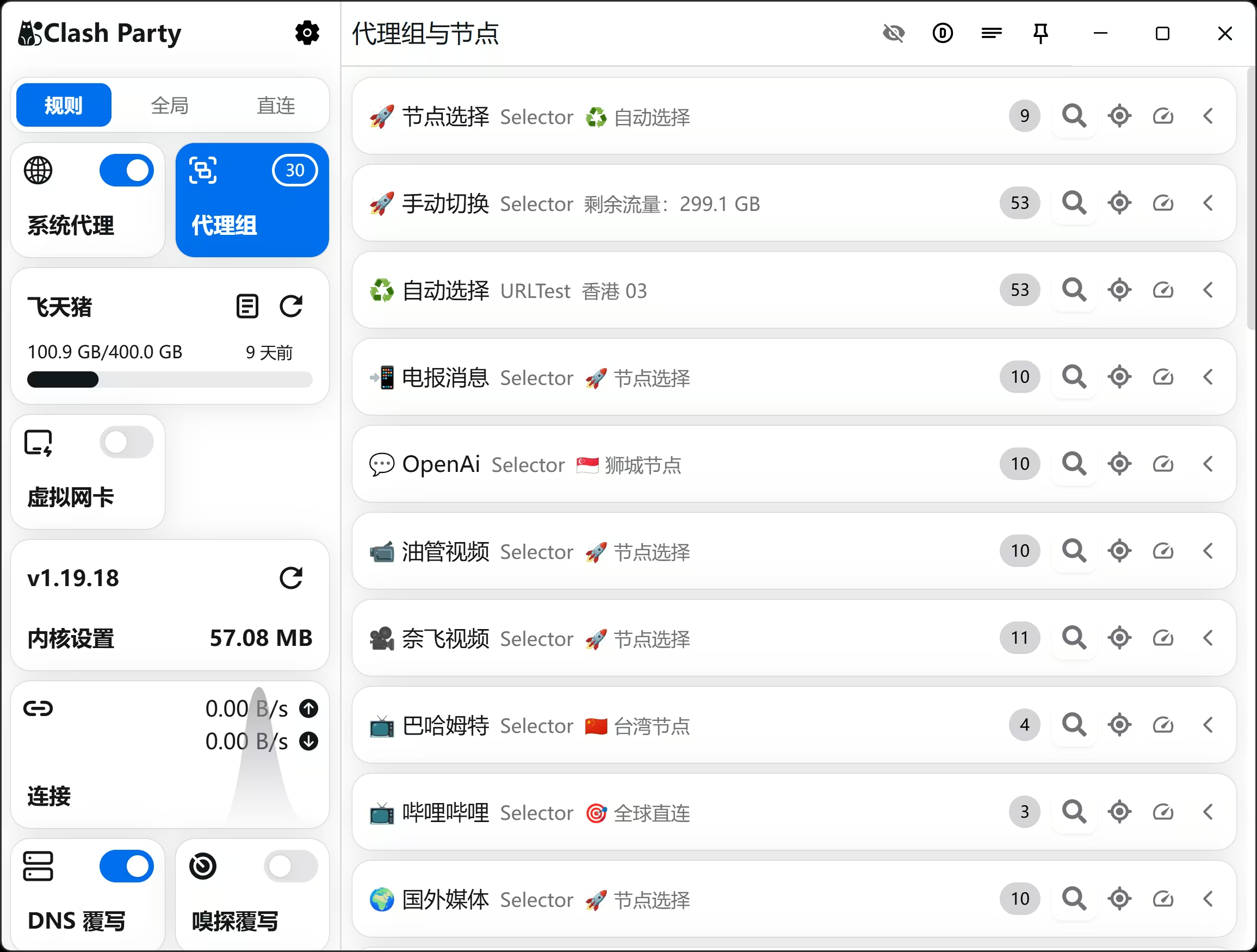
Clash Party interface showing system proxy controls, profiles, proxy groups, and nodes
Proxy groups, subscriptions, and connection status at a glance.Interface example

Ready to begin?Choose your operating system

WindowsInstallation and setupmacOSInstallation and setupLinuxInstallation and setup

START HERE

Your first connection in three steps.

View all guides

You do not need to learn every setting at once.

Start with the guide that matches your current task,
from basic setup to custom routing rules.

Browse frequently asked questions

Welcome to the unofficial Clash Party English tutorial site!

Here you'll find the latest download links, detailed usage tutorials, and frequently asked questions to help you quickly get started with this more user-friendly Mihomo/META GUI client.

Why Choose Clash Party?

Clash Party is an Electron-based desktop client dedicated to providing a more user-friendly experience. It supports Windows, macOS, and Linux platforms, making it easy to import subscriptions, switch nodes, view connection status, and manage rules.